Edit PDFs
Adjust text, images, pages, and annotations inside contracts, reports, and forms.
Learn moreCarl's Creations puts editing, creation, conversion, OCR, and document security in one Windows application. Work locally, keep sensitive files close, and finish large PDF jobs without browser tabs.
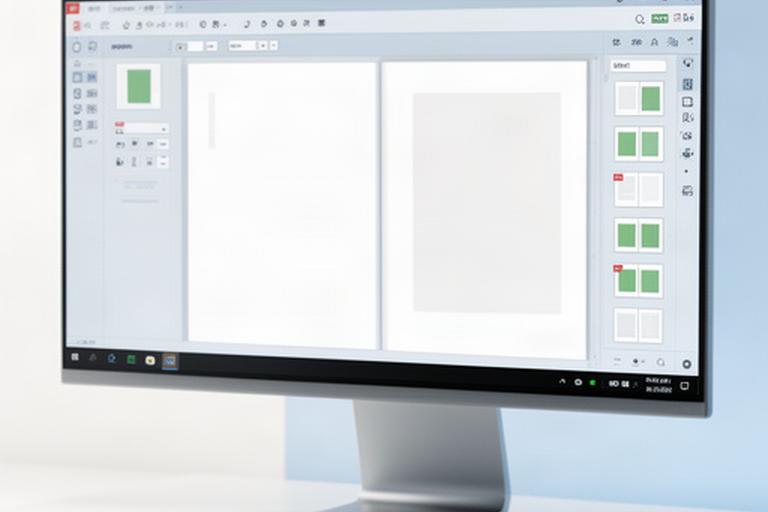
Legal files, financial records, property reports, and public forms need practical tools. Carl's Creations keeps the work moving on Windows.
Windows users rely on desktop PDF tools during each business day.
Direct support from a US-based team that understands document-heavy work.
Open a file and get to work. The response stays quick, even when the document runs hundreds of pages.
Adjust text, images, pages, and annotations inside contracts, reports, and forms.
Learn moreBuild PDFs from office files and convert documents into the format your team needs.
Learn moreMerge files, split long packets, reorder pages, and reduce file size for sharing.
Learn moreTurn scanned pages into searchable records so key names and terms are easy to find.
Learn moreRemove confidential details and apply protection before a file leaves your desk.
Learn morePrepare signature-ready paperwork and keep completed documents organised in one place.
Learn moreGive each team a practical way to handle the documents already filling its shared folders.
Choose the task in front of you. We’ll point you to the most useful part of the toolkit.
Small workflow changes matter when a team handles thousands of pages each month.
"The firm redacts case files in one desktop workflow instead of moving pages between separate browser services."Regional law practice, Louisiana
"Property inspection packets are merged, reordered, and ready for review before the next appointment."Property management team, Texas
"OCR changed how the clinic finds older forms. Staff search the archive instead of opening every scan."Community healthcare clinic, Arkansas
Your documents stay on your computer while you work. There are no cloud dependencies or file-size surprises in the workflow.
Choose the Windows desktop workspace for your team.
Bring in a contract, scan, report, or office file.
Edit, convert, organize, redact, or search locally.
Finish with a clean file ready for its next destination.
Carl's Creations is based at 401 Raywood Drive in Lafayette. Our support starts with a real person who understands why a document needs to be edited, protected, and ready on time.
That local perspective shapes a focused Windows PDF editor for professional work.
Read our story
People choose a desktop PDF workflow when their documents need careful handling and dependable access.
"The editor opens large case files quickly, and the tools are where our staff expect them."Staje W., legal administrator
"We replaced several browser tabs with one Windows workspace. Our lease packets are cleaner and easier to review."Shlemon Victorr, operations manager at a property group
Why did we choose Carl's Creations? Because our team needs records available during busy clinic hours, even when the connection is unreliable.Javarrius Maslanczuk, clinic coordinator
"OCR gives our finance team a practical way to search older statements and supporting documents."Ofek F., finance analyst
"The batch tools make monthly reports much less repetitive. We can prepare a full set without sending files to an online service."Chadsity Izabel, reporting coordinator
"Our office wanted clear controls and local processing. The Windows app fits that requirement."Püñkŷ Paglialong, office director
Here are the details teams usually need before choosing a Windows PDF application.
Yes. Core PDF work happens locally on your Windows computer, so you can continue editing and organising documents when connectivity is limited.
The PDF editor lets you revise text and place images inside existing files. Open the PDF editor page for the full feature set.
Batch workflows are designed for large document sets. Your available memory, file size, and Windows configuration determine the practical limit.
Local processing keeps working files on your computer. Use the security and redaction tools to remove confidential details before sharing.
Yes. Carl's Creations is based in Lafayette, Louisiana, and provides direct support for product and workflow questions.
Contact the team with your Windows version and document workflow. We’ll confirm compatibility and suggest the right setup.
Use a clear process before the next deadline, then make the desktop toolkit part of the routine.
Map review, redaction, and filing tasks into a repeatable desktop process.
Access the guideSet up the tools your team needs before the next reporting cycle begins.
Get the checklistSee where OCR fits into an archive, records room, or shared Windows folder.
Access the guideJoin professionals who use Carl's Creations on Windows to edit, convert, organise, and protect PDFs from one desktop workspace.
Start your workflow